Your Question
distinct did not take effect when shared with count, mysqldb.
db.Model(&User{}).Distinct("name", "age").Count(&count)
It does not take effect.
The actual sql statement of is "SELECT COUNT(*) FROM users"
## The document you expected this should be explained
https://gorm.io/docs/advanced_query.html#count


**Comment From: itaranto**

@ssmmtt Can you explain why did you close this? Where you able to fix the issue? How?


**Comment From: ssmmtt**

> @ssmmtt Can you explain why did you close this? Where you able to fix the issue? How?

@itaranto
MySQL does not allow this, it is not related to Gorm

**Comment From: itaranto**

> > @ssmmtt Can you explain why did you close this? Where you able to fix the issue? How?
>
> @itaranto MySQL does not allow this, it is not related to Gorm

I don't know about MySQL, but in PostgreSQL it's perfectly valid to do:

```sql
SELECT COUNT(DISTINCT(name, age)) FROM users
GORM's docs for Distinct say:
// Distinct specify distinct fields that you want querying
//
//  // Select distinct names of users
//  db.Distinct("name").Find(&results)
//  // Select distinct name/age pairs from users
//  db.Distinct("name", "age").Find(&results)
But the behavior of db.Distinct("name", "age").Count(&results) seems to be undocumented.
Like you mentioned above, GORM generates incorrect SQL for this:
SELECT COUNT(*) FROM users
I think this issue shouldn't be closed.
Comment From: ssmmtt
@itaranto
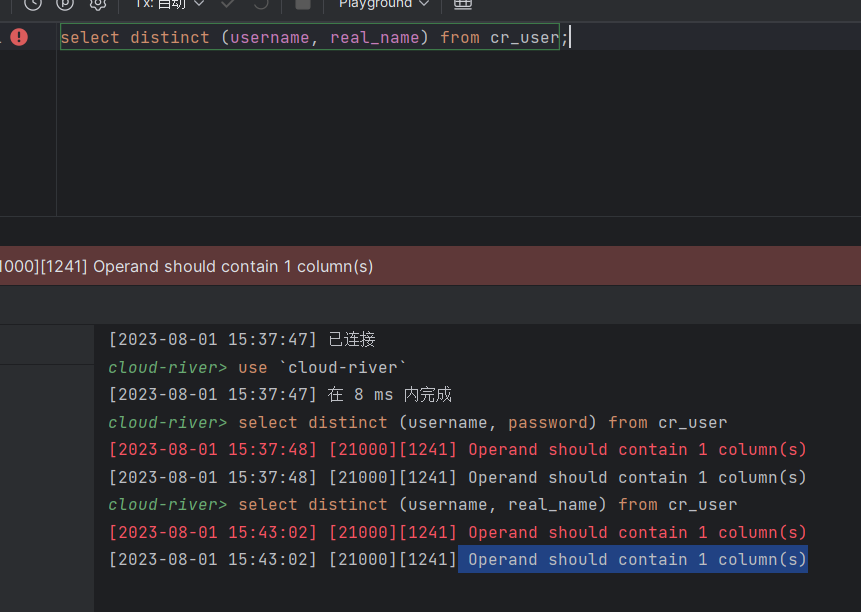
The error "Operand should contain 1 column(s)" indicates that the operand in the SQL query should contain only 1 column, but you have provided multiple columns instead. This usually happens when some functions or operations in the SQL statement require only one column as a parameter, but multiple columns were passed in instead. Some common cases include: - Using aggregate functions like SUM(), AVG(), but passing in multiple columns instead of just one. - Doing DISTINCT on multiple columns instead of just one column. - Using scalar functions like UPPER(), LEN() in SELECT, but supplied with multiple columns. - Grouping by multiple columns in GROUP BY clause instead of just one column. - JOIN condition contains multiple columns, but it should compare just two columns. To resolve this, you need to check the SQL statement and find where multiple columns were passed in as a single column parameter, and correct it to use only one column. Some examples: - SUM(col1, col2) should be changed to SUM(col1) - SELECT DISTINCT col1, col2 should be SELECT DISTINCT col1 - UPPER(col1, col2) should be UPPER(col1) - GROUP BY col1, col2 should be GROUP BY col1 - ...ON t1.col1 = t2.col1 AND t2.col2 should be ...ON t1.col1 = t2.col1 So in summary, check and pass the correct number of columns as parameters to avoid the "Operand should contain 1 column(s)" error.
Comment From: bingtianyiyan
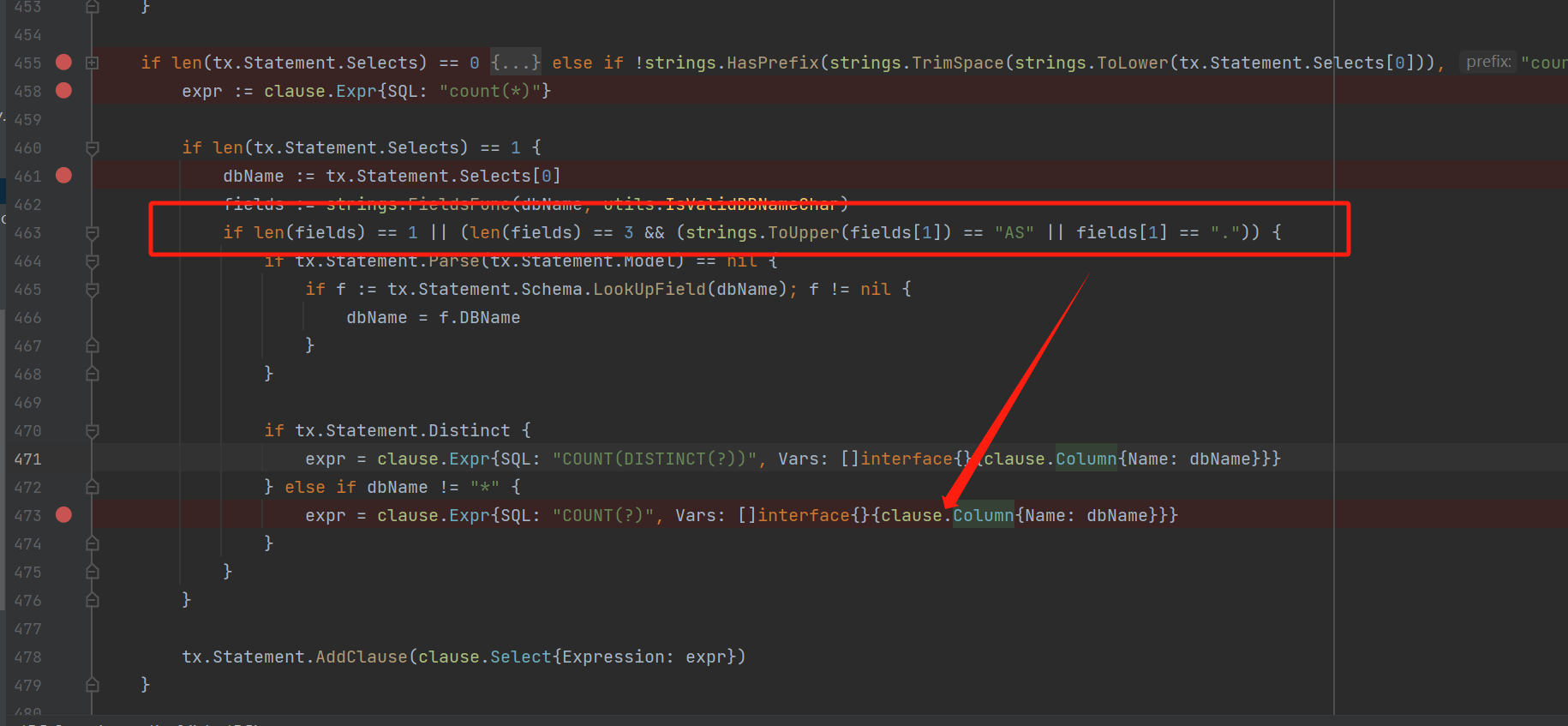
Id AS id) FROM t_test ;
in mysql execute fail
