[14972] 29 Jan 00:36:53.251 # Warning: no config file specified, using the default config. In order to specify a config file use redis-server /path/to/redis.conf [14972] 29 Jan 00:36:53.253 # Creating Server TCP listening socket *:6379: bind: No such file or directory
Comment From: 631086083
It seems that you are running the redis command on windows (my guess). If this is the case, one solution is to enter the following commands in sequence 1. redis-cli.exe 2. shutdown 3. exit 4. redis-server.exe pathtoconfig
Comment From: Vaibhavraj-nath-chauhan
I run those commands you mentioned but it's showing me a new error
redis-server.exe pathtoconfig Invalid argument during startup: Failed to open the .conf file: pathtoconfig CWD=C:\Users\Vaibhavraj
Comment From: itamarhaber
Hi @Vaibhavraj-nath-chauhan
It looks like you used pathconfig CWD=... as your config file, perhaps some IDE trickery is at play here. The said, please note that the Redis project does not support Windows, so issues and questions about the different Windows forks that are out there do not belong here - please close this issue.
Assuming you're making use of @tporadowski work, you can seek further assistance at https://github.com/tporadowski/redis repository.
Comment From: Vaibhavraj-nath-chauhan
@itamarhaber Okay Thank you for your assistance
Comment From: daman9999
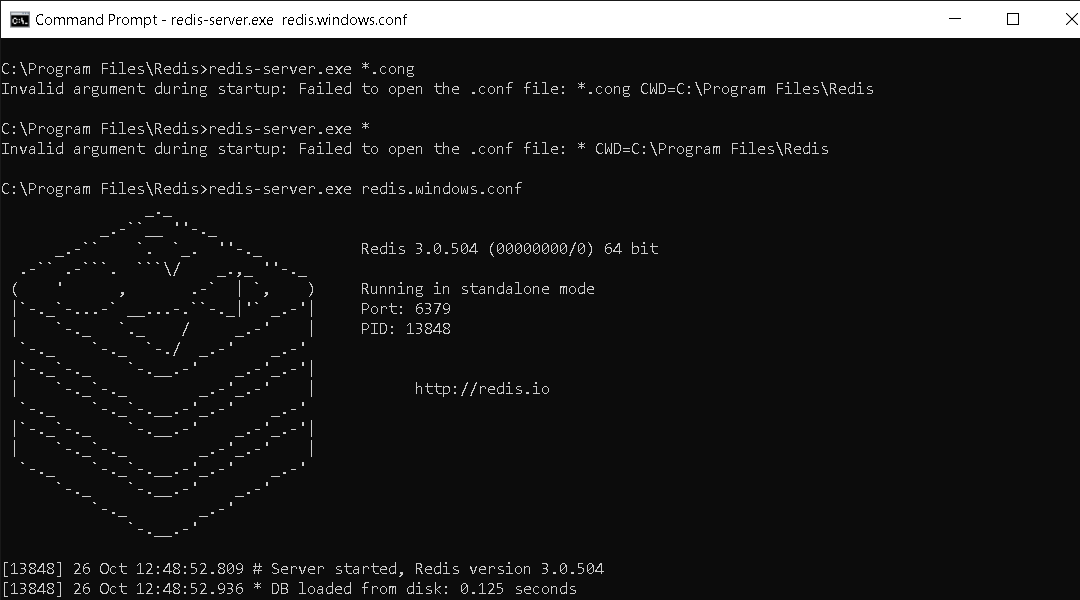
redis-server.exe redis.windows.conf
Comment From: Gokulkannan178
thanks it is working
Comment From: daman9999
thanks it is working
your welcome :)
Comment From: Chitradip-Capitalnumbers
Awesome work like a charm
Comment From: Azeemkhanu
redis-server.exe redis.windows.conf ![Command Prompt - redis-server exe redis windows conf 10_26_2021 12_52_27 PM] that's work.Thanks
Comment From: MAVERICH-2021
first start redis-server:
redis-server --port 6380 --slaveof 127.0.0.1 6379
then start cli:
redis-cli