When I run redis through docker on a linode host and run docker stats the CPU usage is very high when there is basically nothing going on (except pings from docker healthcheck). It jumps arround between 20-40% CPU...
CONTAINER ID        NAME                 CPU %               MEM USAGE / LIMIT     MEM %               NET I/O             BLOCK I/O           PIDS
6bd8587ca600        ss-fastapi_redis_1   31.98%              1.735GiB / 3.828GiB   45.33%              61kB / 1.36MB       210MB / 0B          5
Using docker from a docker-compose with the following configuration...
  redis:
    restart: always
    image: "redis:6.0.5-alpine"
    command: ["redis-server", "--appendonly", "yes"]
    volumes:
      - redis-data:/data
    healthcheck:
      test: ["CMD", "redis-cli", "ping"]
      interval: 1s
      timeout: 3s
      retries: 30
But if I connect directly to the container and run top I can't see the cause of high CPU usage...
Mem: 3656796K used, 356968K free, 108532K shrd, 15108K buff, 948068K cached
CPU:  41% usr  13% sys   0% nic  44% idle   0% io   0% irq   0% sirq
Load average: 1.80 1.62 1.55 2/410 1149
  PID  PPID USER     STAT   VSZ %VSZ CPU %CPU COMMAND
    1     0 redis    S    2035m  52%   0   0% redis-server --appendonly yes
 1065     0 root     S     1644   0%   1   0% /bin/sh
 1101  1065 root     R     1580   0%   0   0% top
I don't know if this is a bug or a question (is there something I'm doing wrong?) On my server console it also shows consistent high CPU during idle time (46% presumably mostly from the redis container)
I was worried maybe there was some trojan mining cryptocurrency though the container or something so I removed the container & the associated volume and re-created them and updated to the latest redis:6.0.5-alpine image.
Comment From: calbot
I commented out the healthcheck and that seemed to fix the high CPU usage. I hope that was all. Is there a better way to do healthcheck?
Comment From: itamarhaber
Hello @calbot
PINGing Redis is a great way to check its liveliness. That said, I'm not sure what the issue is and if there is one whether it has to do with Redis itself.
Comment From: wusikijeronii
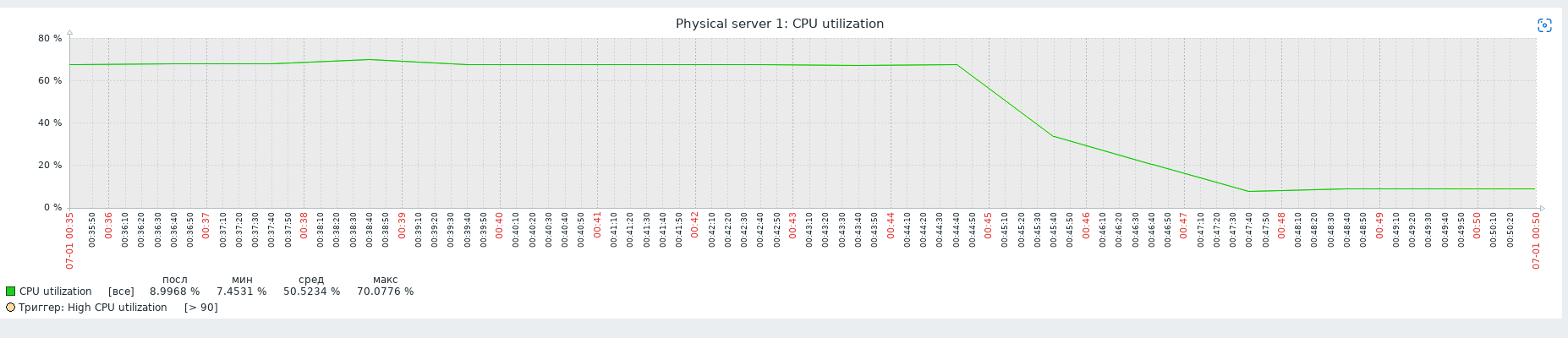
Same problem. The problem exists only in Docker. I use Nomad for deploying Redis. Using Docker, I get 70% loading CPU on average. I changed the driver to exec (separate environment like py-env) and now I get 20% CPU loading on average. Look at the screenshot from zabbix.
Comment From: ibaraki-douji
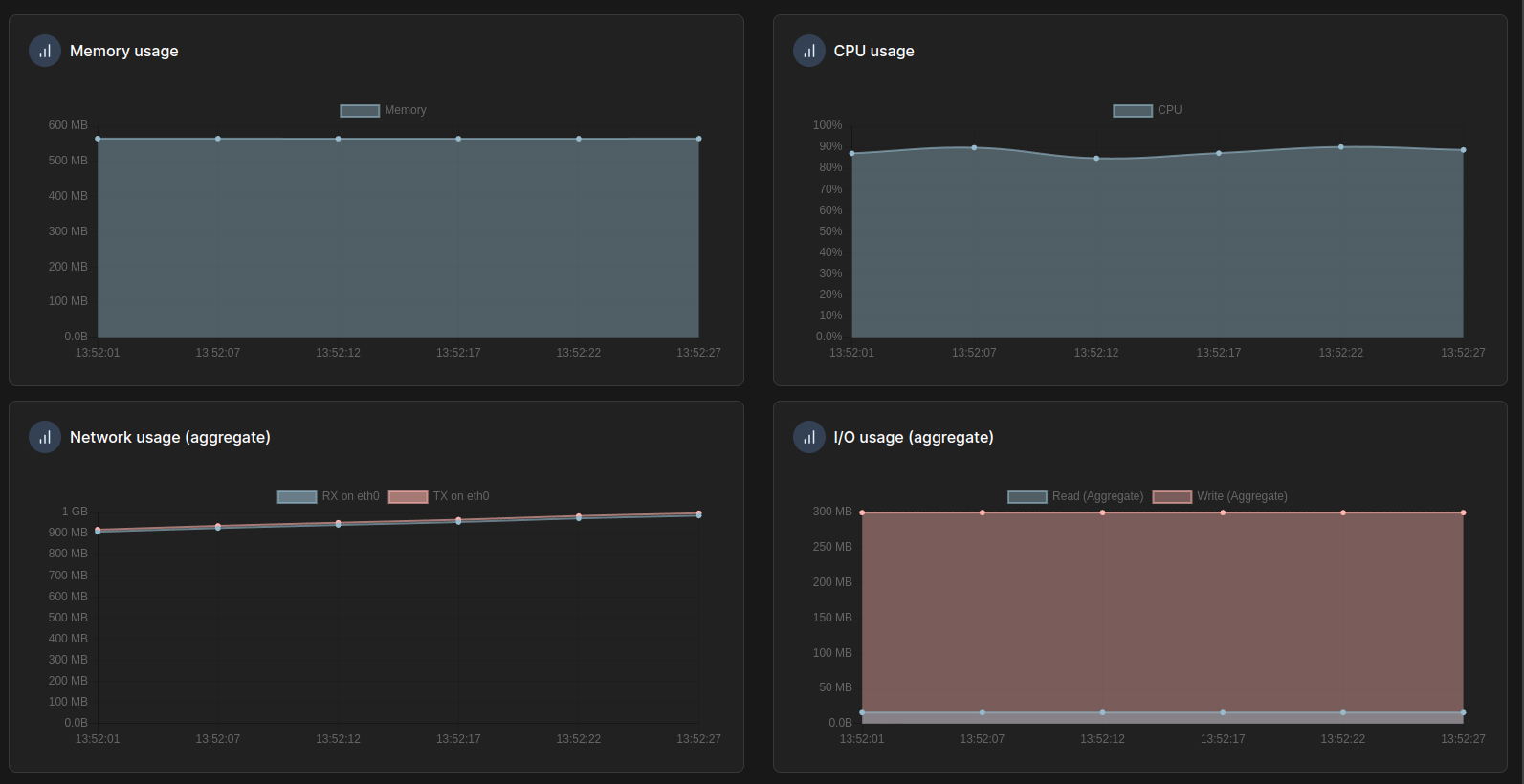
Same problem for my container, tho i don't have any healthcheck and the high CPU disappear after a container restart (not recreate)

Comment From: sundb
@liexusong is the answer here?